GHz Router MAC Address Filtering: A Comprehensive Guide to Enhance Security and Control
What is MAC Address Filtering?
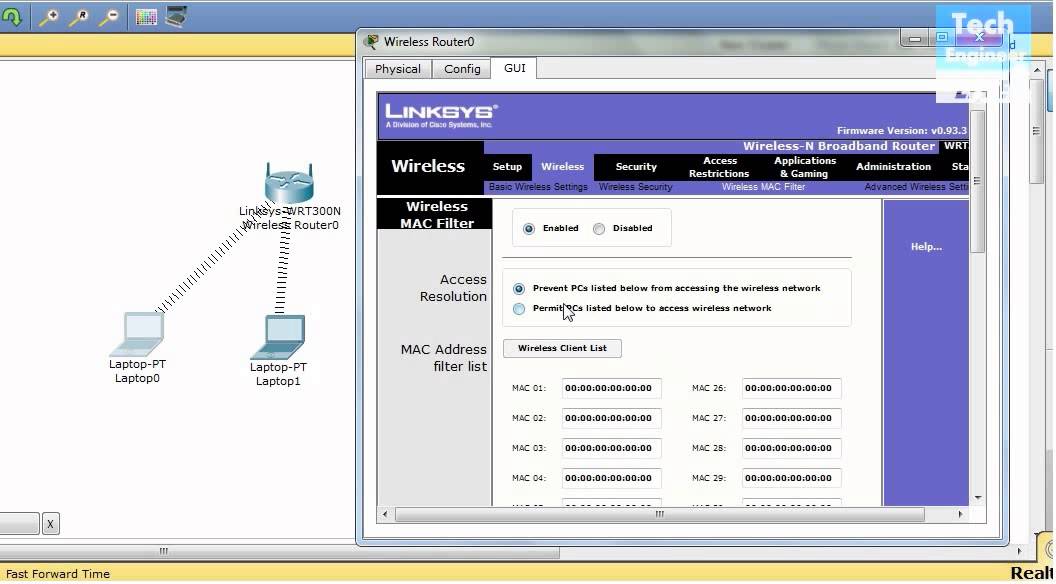
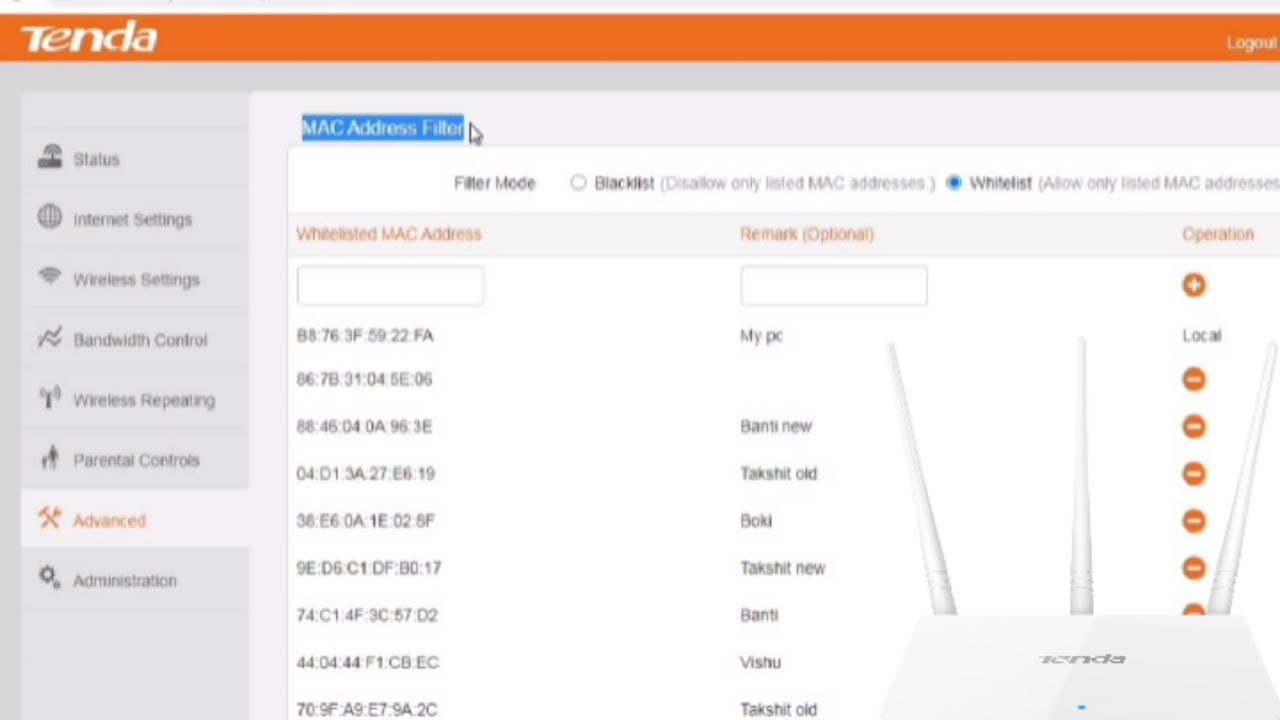
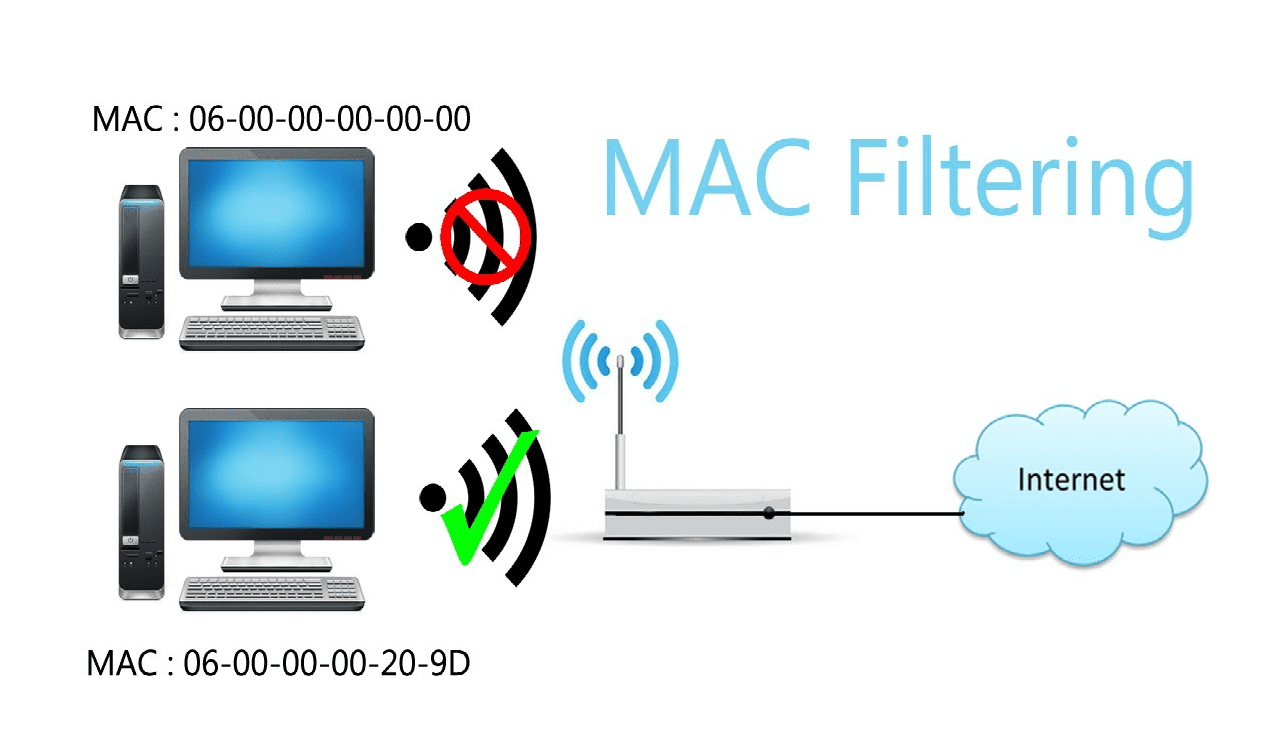
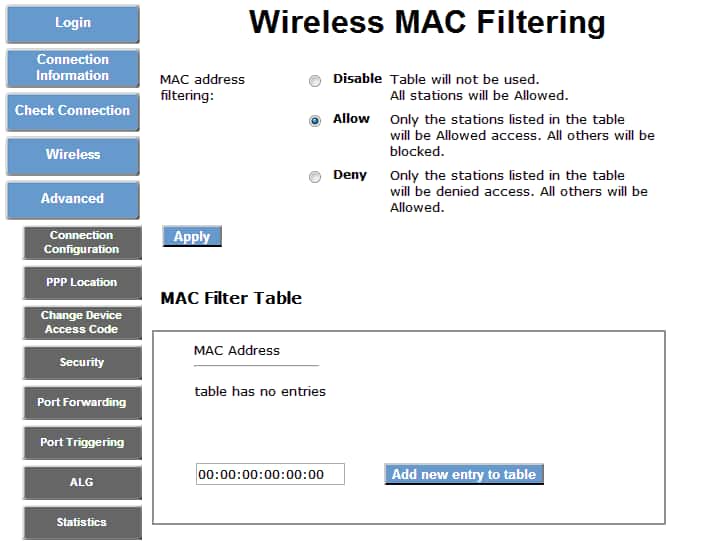
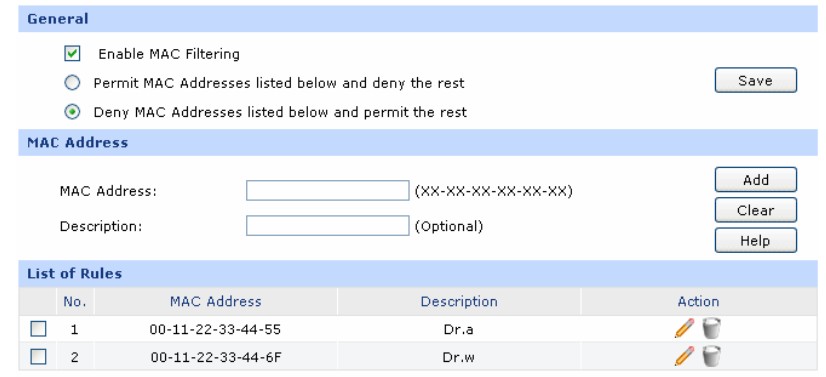
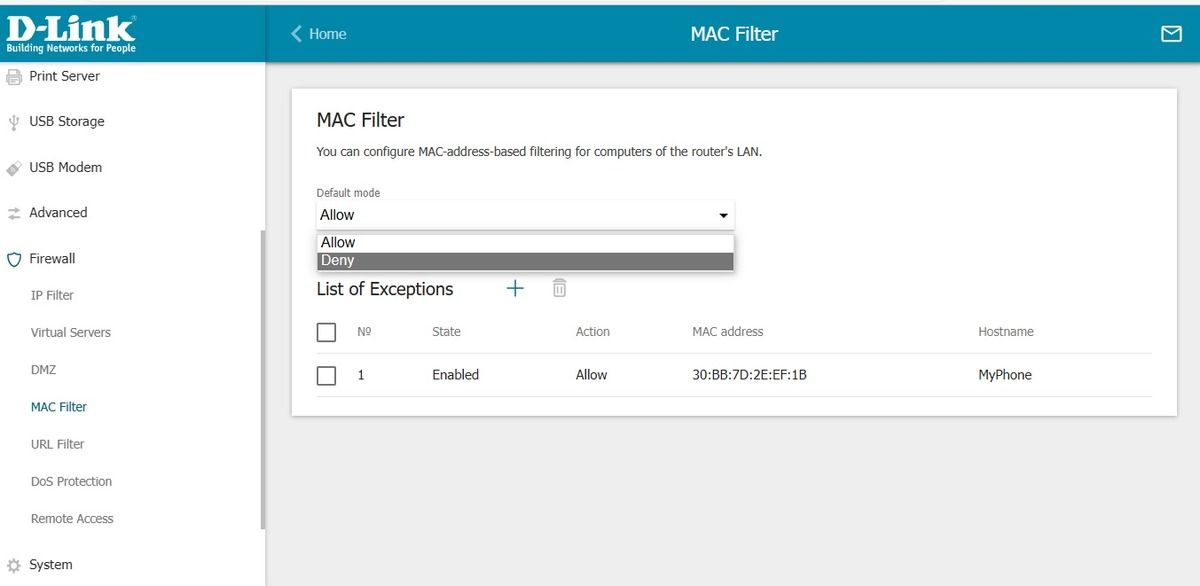
MAC address filtering is a feature on most routers that restricts which users can access your Wi-Fi network. You can either set up an allow list (only the MAC addresses listed can connect to the network) or a deny list (anyone can connect to the network except for those on the deny list). This helps protect your network from unauthorized access and interference.
Benefits of MAC Address Filtering
- Protects your network from freeloaders who might be accessing your data without your permission.
- Prevents bandwidth loss caused by unauthorized devices accessing your network.
- Averts the risk of cybercrime organized with your IP address.
Configure Wireless MAC Filtering

To configure wireless MAC filtering, follow these steps:
- Login to your router configuration utility. For most routers, this can be done by typing 192.168.0.1 or 192.168.1.1 on your browser.
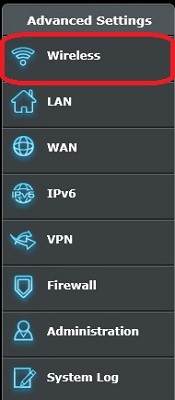
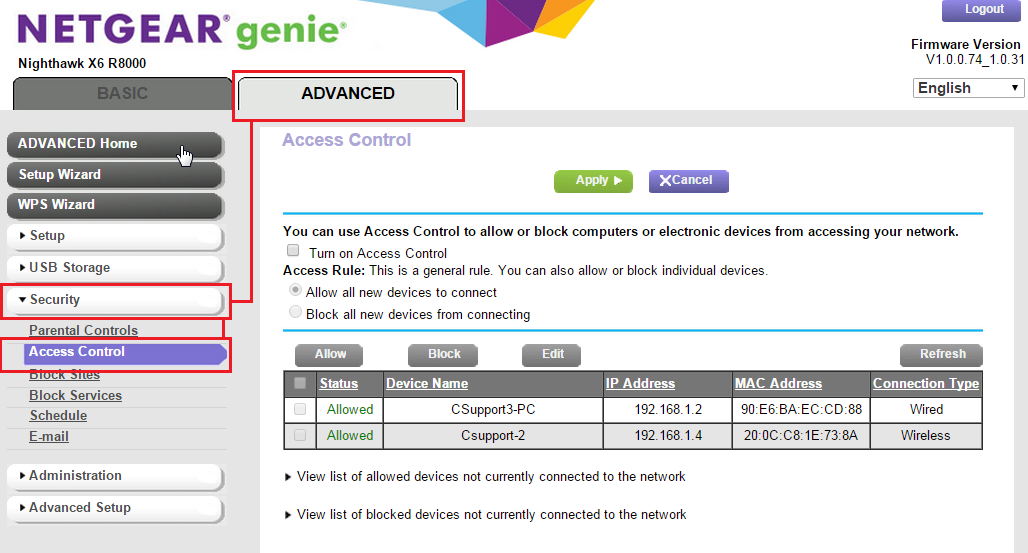
- Locate the MAC filtering settings, typically under the Wireless or Advanced Settings section.
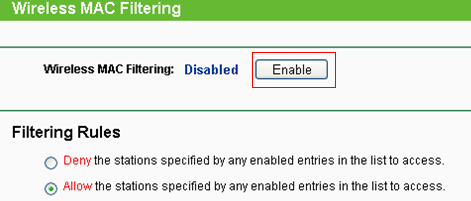
- Enable MAC filtering by clicking on the "Enable" button.
- Select the filtering rules according to your demand. If you have a dual-band modem, configure the Wireless MAC filter separately on either or both bands (Wireless 2.4GHz/Wireless 5GHz).
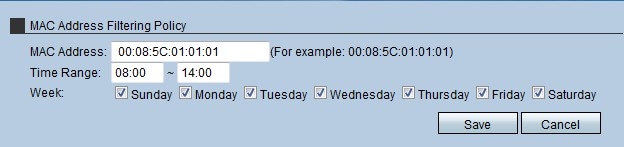
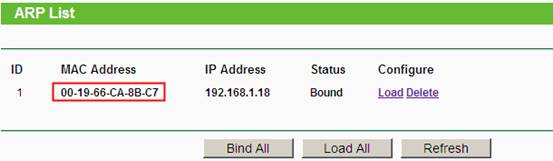
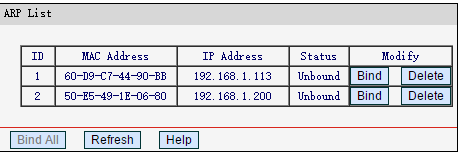
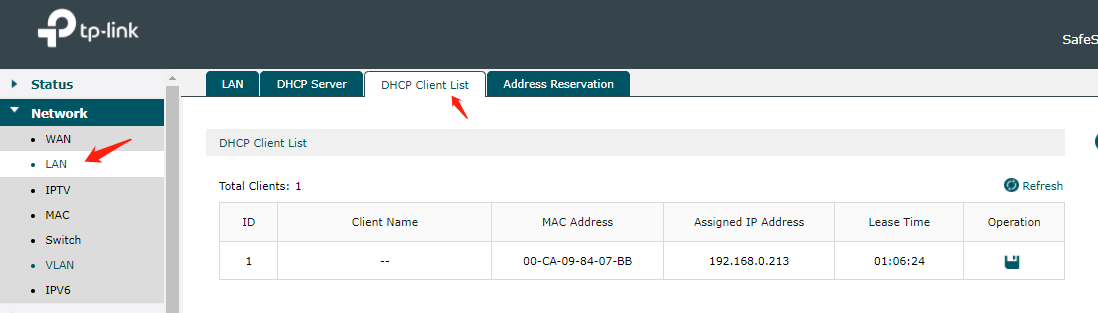
- Add the MAC addresses of authorized devices to the allow list. You can do this by finding the MAC address of each client device on your network and entering it in the router's configuration utility.
Remember to update your router's firmware regularly to ensure optimal performance and security. Some users may have models with alternative setup routes or limited app support, so be sure to consult your router's documentation or manufacturer's website for specific instructions.
MAC Address Filtering: Myth or Reality?
While MAC address filtering provides a basic level of security, it's essential to understand that it's not foolproof. MAC addresses can be spoofed or faked, which means that an unauthorized device could potentially bypass the filter by altering its MAC address. However, this does not make MAC address filtering useless. It still adds an extra layer of security and should be used in conjunction with other security measures, such as strong passwords and network encryption.

Common Misconceptions About MAC Address Filtering
Sometimes, users may encounter issues with MAC address filtering, such as:
- Connectivity problems due to restrictive filtering rules.
- Difficulty in configuring the filter. For some routers, the process might be more complex than others.
- MAC address spoofing or faking, which could potentially bypass the filter.
However, with the right guidance and troubleshooting steps, resolving MAC address filtering problems is easier than you think.
Conclusion
In conclusion, MAC address filtering is a valuable feature that, when used correctly, can help protect your network from unauthorized access and maintain a secure connection. While it's not foolproof, it's an essential layer of security to add to your overall network protection strategy. By understanding how to configure and use MAC address filtering, you can enjoy a safer and more reliable network experience.












.png "TUF Gaming AX3000 | ASUS Saudi Arabia - Tech Specs")