How to Use OBS with Scaled Capture: A Comprehensive Guide
Open Broadcaster Software (OBS) is a widely used software for recording and live-streaming video content. One of the most common issues creators face while working with OBS is adjusting the scaled capture settings to achieve the desired video quality and fit their content into the canvas. In this article, we will explore the process of how to use OBS with scaled capture, covering various aspects and providing tips and tricks to ensure a seamless experience.
Understanding the Basics
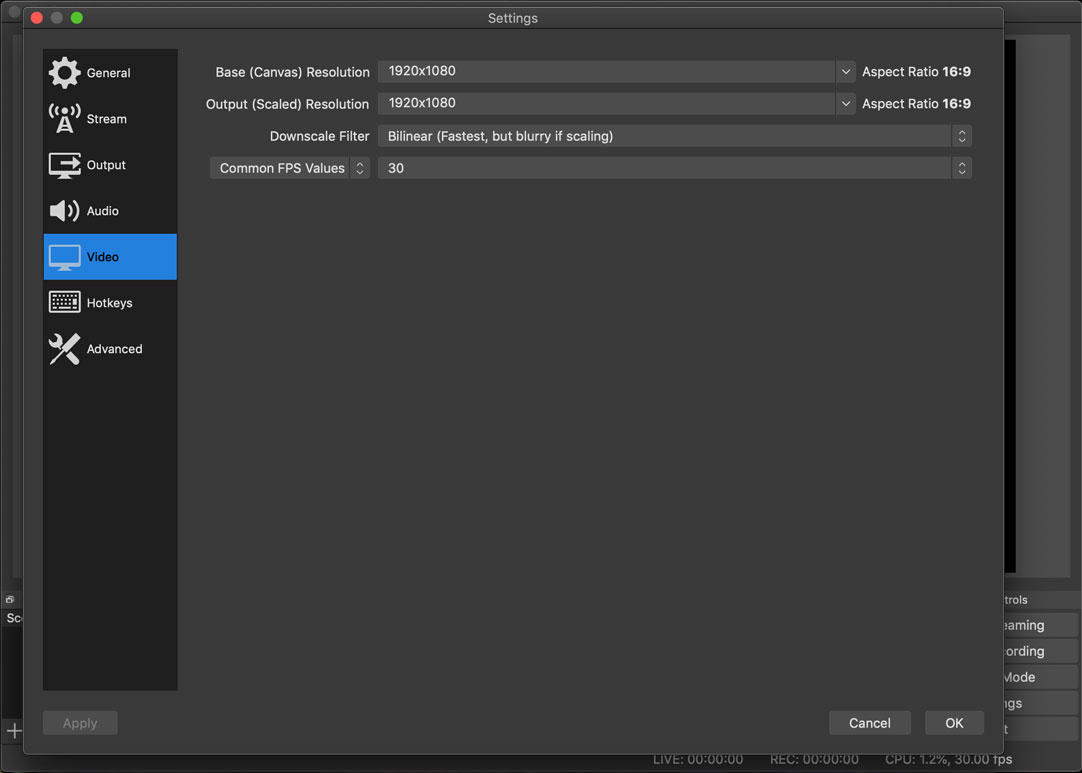
Before diving into the detailed process, it's essential to understand the basics of OBS scaled capture. The Output (Scaled) Resolution is the final resolution of your stream or recording, and it's used to determine the output quality. This setting allows you to adjust the resolution to match your desired aspect ratio, preventing stretching or black bars. If you're unsure about these settings, you can check the OBS manual for more information.
Scaling and Cropping Sources
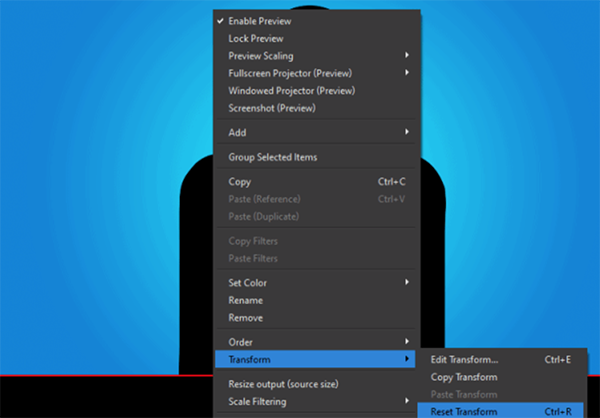
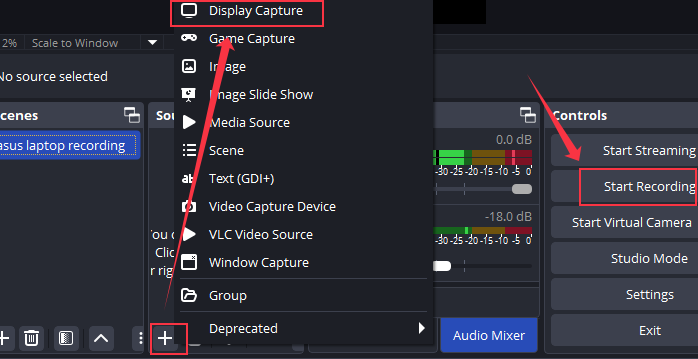
To use OBS with scaled capture, you need to learn how to scale and crop your sources. Scaling allows you to adjust the size of your video or image, while cropping enables you to trim excess areas to fit your content into the canvas. Right-click on your game/monitor/window capture source, go to the Transform option, and select Fit/Stretch to Screen. This will rescale your source to match the canvas dimensions.
Resizing and Adjusting the Output Resolution
To resize and adjust the output resolution in OBS, follow these steps:
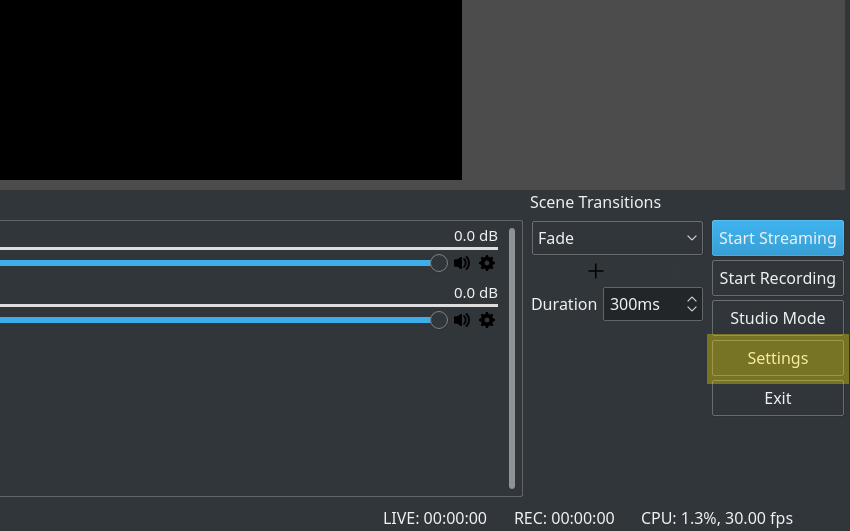
- Click on the Settings icon in the lower-right corner of the OBS Studio window.
- Go to the Video section in the left sidebar.
- Under the Output (Scaled) Resolution section, select your preferred resolution.
- Adjust the Base (Canvas) Resolution and Output (Scaled) Resolution to match your desired aspect ratio.
Non-Standard Resolutions
Non-standard resolutions may be required for specific projects or applications. To set up non-standard resolutions in OBS, follow these steps:
- Click on the Settings icon and go to the Video section.
- Under the Output (Scaled) Resolution section, select Custom Resolution.
- Enter your desired resolution and aspect ratio in the resolution settings.
Game Capture Settings
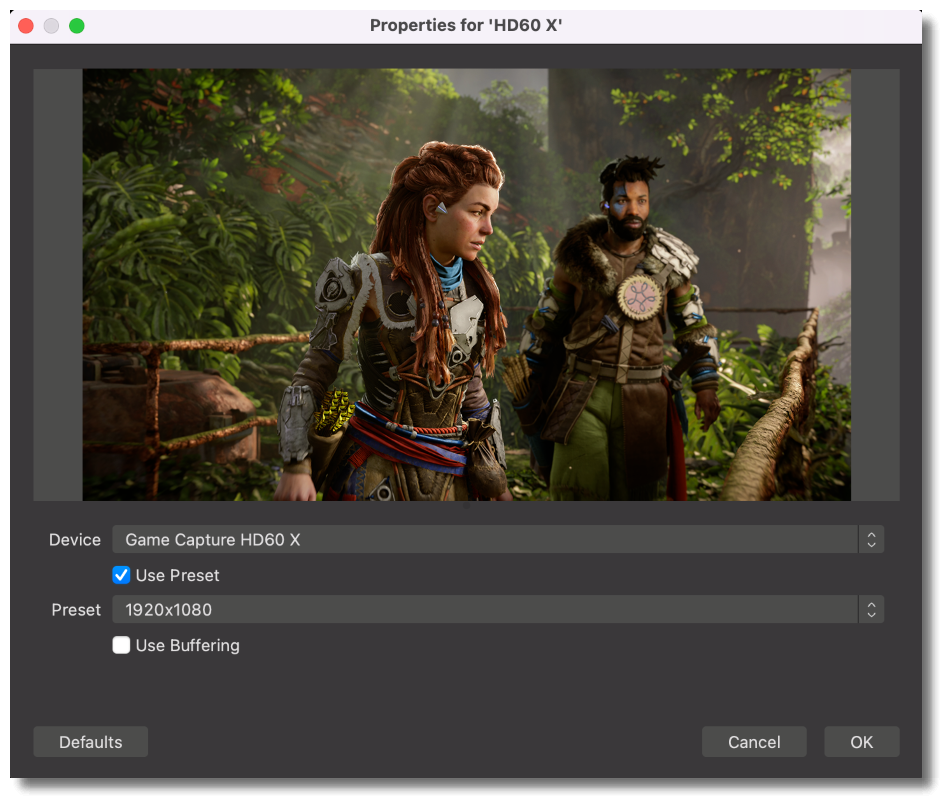
If you're using a Game Capture source, you'll find a Scale Resolution setting in the Game Capture properties. This setting allows you to adjust the resolution of the game capture independently of the canvas resolution.
Input Capture and Scaled Resolution
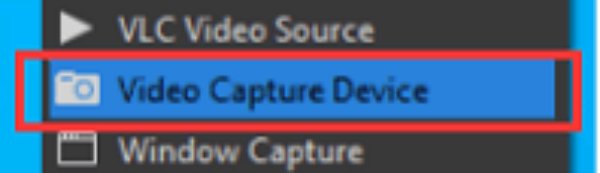
When capturing footage from an input device, such as a capture card, you can apply the downscale filter to the camera to match your desired resolution. To do this, right-click on the capture card source and select Scale Filtering, then choose the desired downscale filter.
Output (Scaled) Resolution vs. Canvas Resolution
The Output (Scaled) Resolution setting determines the final resolution of your stream or recording, while the Canvas Resolution is the space where you'll draw your content. If you choose a larger canvas resolution, you may need to use the resize function to fit your content within it.
Conclusion
Using OBS with scaled capture is a straightforward process once you understand the basics. By adjusting the Output (Scaled) Resolution, scaling and cropping sources, and setting non-standard resolutions, you can create high-quality video content for streaming and recording. Remember to experiment with different settings and options to find the perfect balance between quality and performance.
Video Quality Issues
Low video quality can be caused by an incorrect output resolution or insufficient processing power. Adjust the output resolution and ensure you have a sufficient graphics processing unit (GPU) to handle the default video settings.
Task Bar and Margin Issues
When capturing a window or a small portion of the screen, you may encounter issues with the task bar and margin. To fix this, make sure to adjust the window size and position it above the task bar.




![The Best OBS Setting for Recording in 2026 [Detailed Guide] - OBSBOT - How To Use Obs With Scaled Capture](https://www.nablamind.com/wp-content/uploads/2024/03/obs-video-capture-device.png "The Best OBS Setting for Recording in 2026 [Detailed Guide] - OBSBOT")